


FAQ
- Overview
- Home
- Security Concerns
- Account (Summary)
- Accounts (Statement)
- Transaction Authentication - PB SecureSign (Digital Token)
- Transaction Authentication - SecureSign Token (Physical Token)
- Send Money
- Pay Card
- Pay Bill
- Pay Loan / Financing
- Prepaid Top Up
- DuitNow ID
- eRights
- Cash Advance
- eIPO
- Check eIPO Status
- Manage CDS Account
- Redraw Facility
- Balance Transfer
- eGold Investment Account (eGIA)
- Change Password
- Change Mailing Address
- Add/Delete Account
- Change Personal Login Phrase
- Request Cheque Book
- Stop Cheque Request
- Enquire Cheque Status
- Register Positive Pay
- Terminate Positive Pay
- Insert Positive Pay
- Enquire Positive Pay
- Create Debit Card PIN
- Manage Credit Card PIN
- Renew Debit Card
- Update Credit Card Information
- Cancel / Report Lost Card
- Manage Card-Not-Present and Overseas Retail Transactions
- Overseas ATM Withdrawal
- Contactless Transaction Alert Limit
- MyDebit Limit
- DuitNow Online Banking / Wallets
- Daily Transaction Limit
- Unexplained Funds In Account
- eFixed Deposit (eFD) / eTerm Deposit-i (eTD-i)
- Profile Access
- Challenge Questions and Answers
- e-Invoice
- Structured Product Investment (SPI) Details
- Overview
- Security Concerns
- Home
- Account (Account Summary)
- Transaction Authentication : PB SecureSign (Digital Token)
- Transaction Authentication : SecureSign Token (Physical Token)
- Send Money
- Pay Bill
- Scan (QR)
- Pay Card
- Pay Loan
- Top Up (Prepaid Top Up)
- Scheduled (Scheduled Transactions)
- Manage Card
- Profile - Account
- Profile - Settings
- Profile – Security
- CO2 Tracker
- eGold Investment Account (eGIA)
- Expense Tracker
- Cash Advance
- PB Flexipay
- Loyalty (Loyalty Card)
- Calculator
- Appointment
- PB Journey
- Wealth (Wealth Management)
- Insure
- Apply - Savings Account
- Apply – Others (Card, Home/ Vehicle, Solar or Share Trading/ Margin Financing)
- Remit
- eFixed Deposit (eFD) / eTerm Deposit-i (eTD-i)
- Challenge Questions and Answers
- Profile Access
- Structured Product Investment (SPI) Details
- PBe Registration
- About PBe
- DuitNow Transfer
- FPX
- Migrating to PB enterprise
- PB eFixed Deposit Account
- PBe Challenge Questions and Answers
- How to Report Fraud
- Security Concerns
- System Requirements
- Subsequent Logins
- User ID and Password
- Problem Logging In
- General PBe Services
- E-Statement
- E-Standing Instruction
- Transfer Fund Within Public Bank
- Transfer Fund to Other Banks
- PAC
- Bill Payment
- Foreign Remittance
- GST Tax Invoice
- Investment
- eIPO
- eRights
- Miscellanous Services
- SecureSign Token
- Transaction On Hold
- Profile Maintenance
- Daily Transaction Limit
- Fees & Charges
Structured Product Investment (SPI) Details
This feature enables you to check your SPI status and details. Please note that subscription and early redemption of SPI are not available through this feature.
Log into MyPB App or MyPB Online Banking and proceed to the Account Summary of your designated account.
The SPI available for digital viewing are Callable Range Accrual (CRA) and Foreign Exchange Range Accrual (FXRA).
For further guide on how to view your SPI details, please click the button below.
User GuideView SPI on MyPB App & MyPB Online Banking
MyPB App
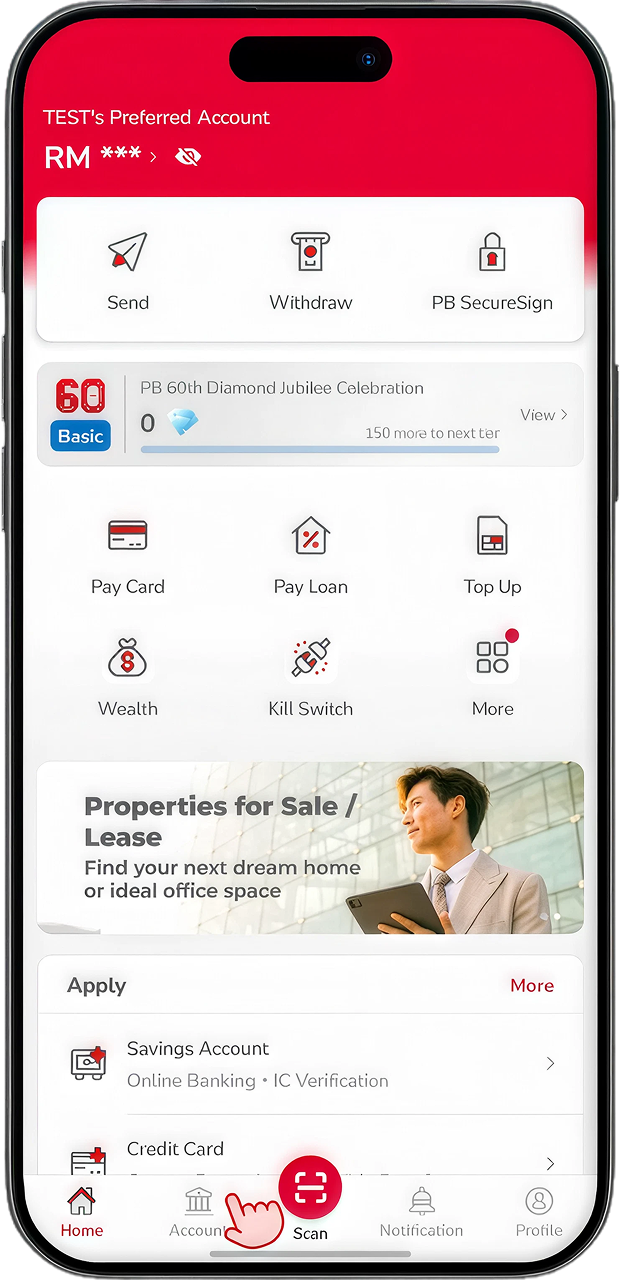
Click on "Account" at Homepage.
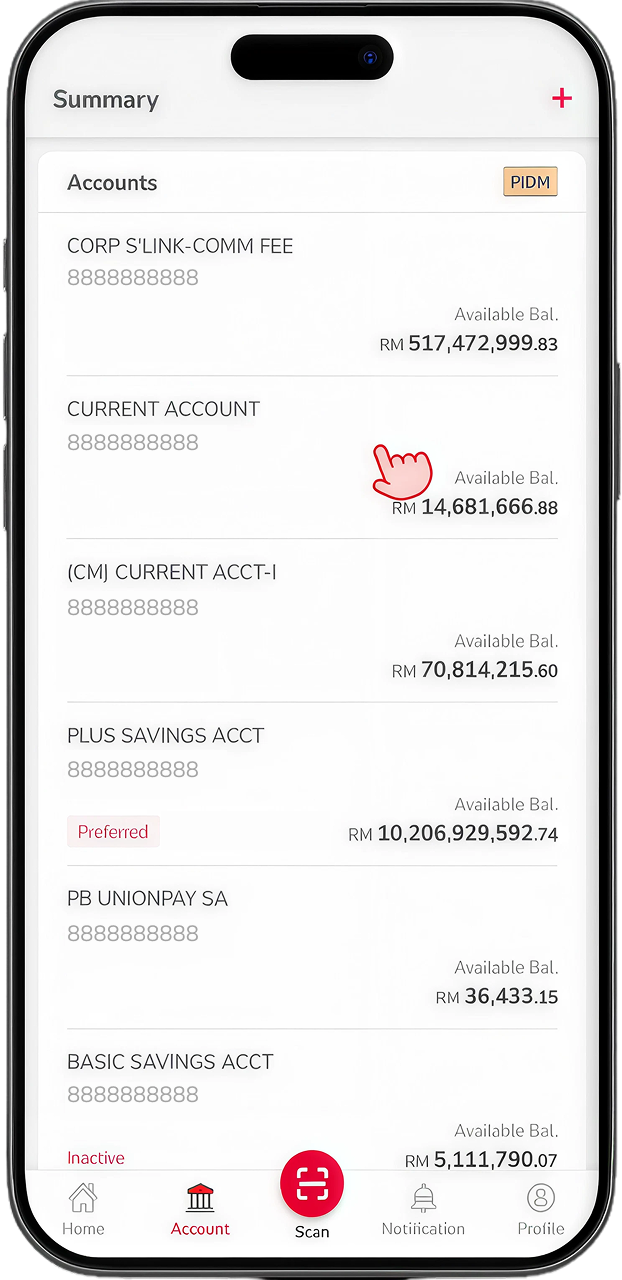
Click on your designated account for SPI.
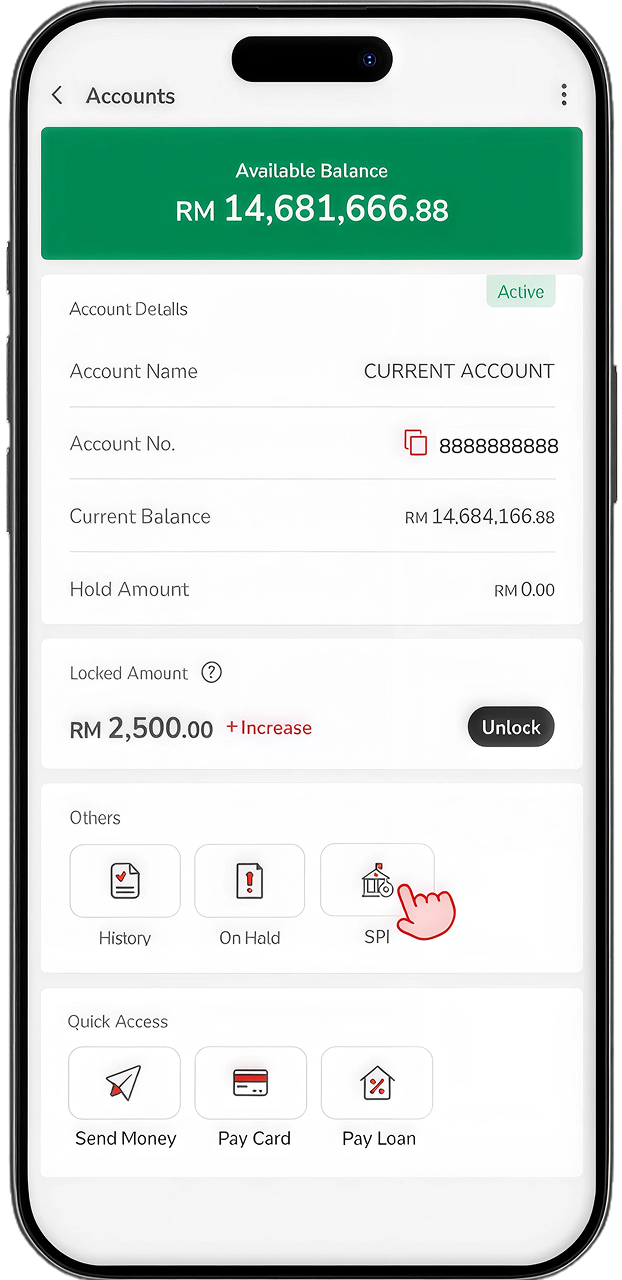
The SPI icon will be visible if selected account is the designated account for SPI. Click on SPI icon to proceed.
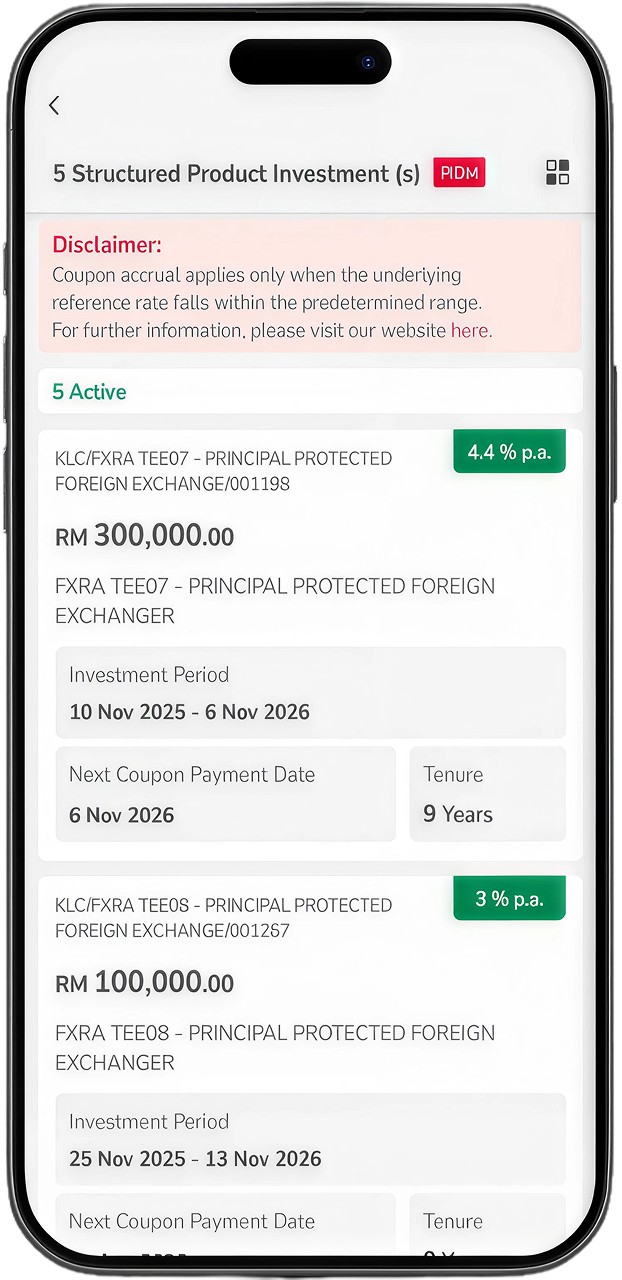
You are now at the View SPI page, showing SPI details tied to the account.
MyPB Online Banking
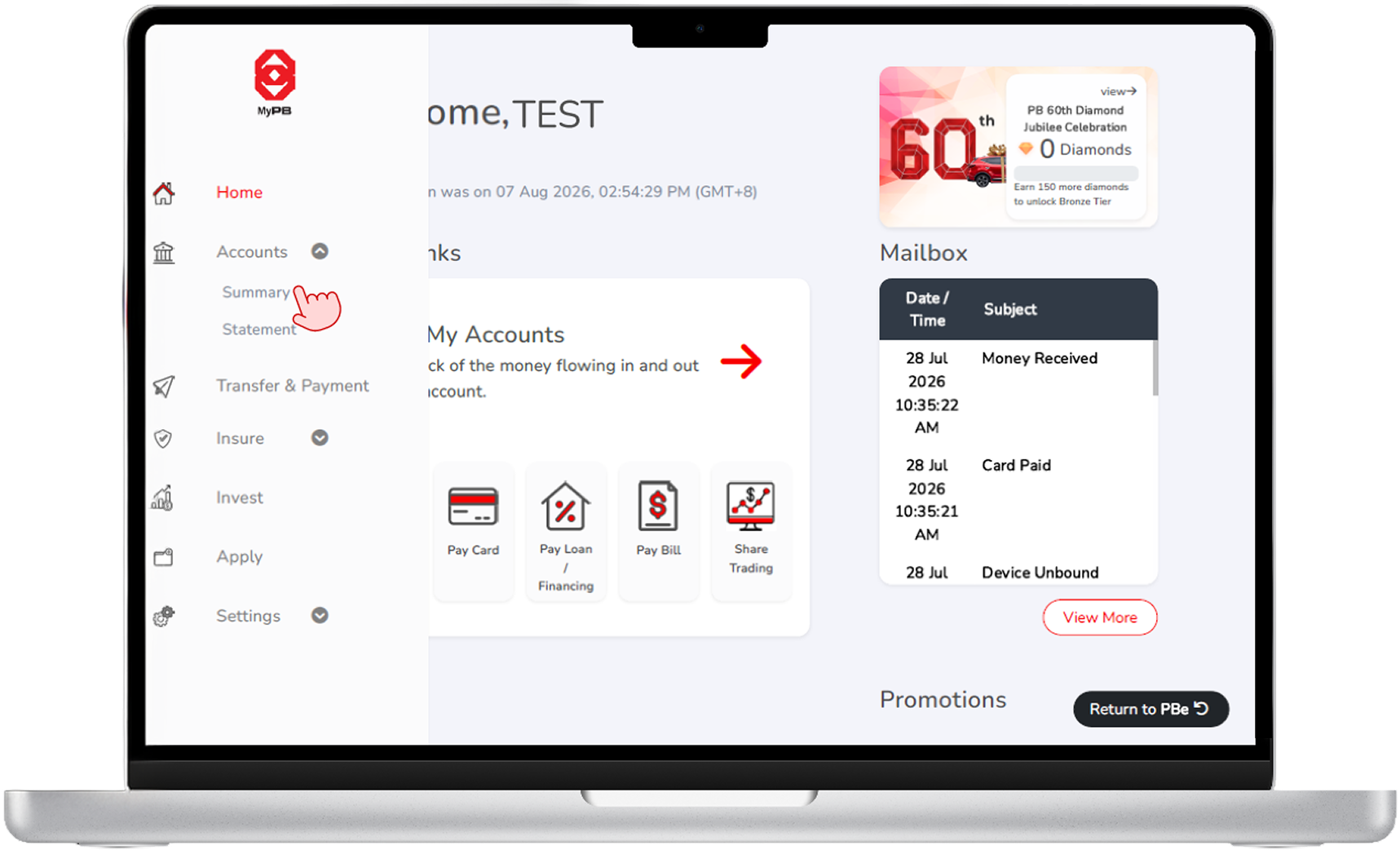
Once logged in, click on Account Summary.
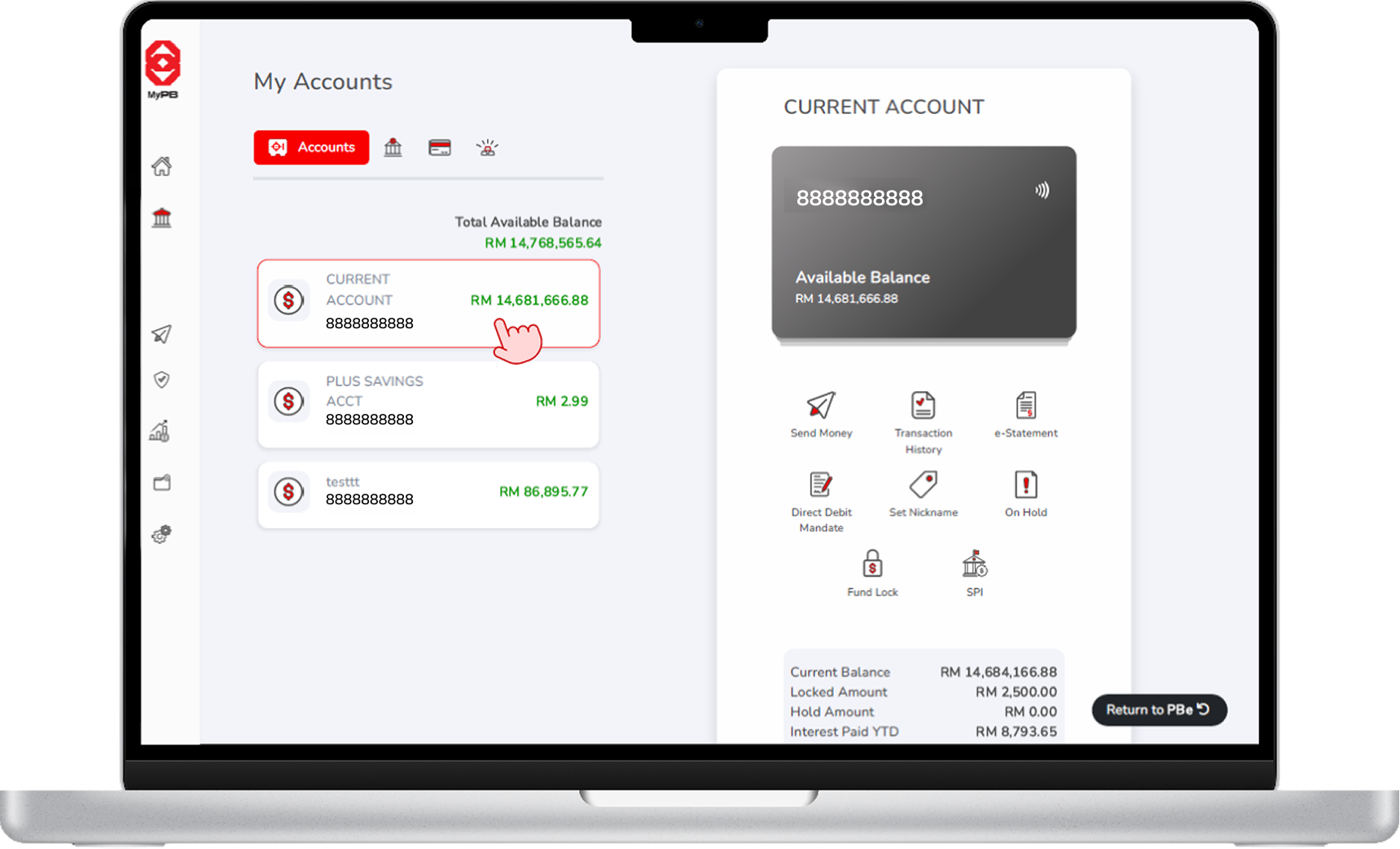
Click on your designated account for SPI.
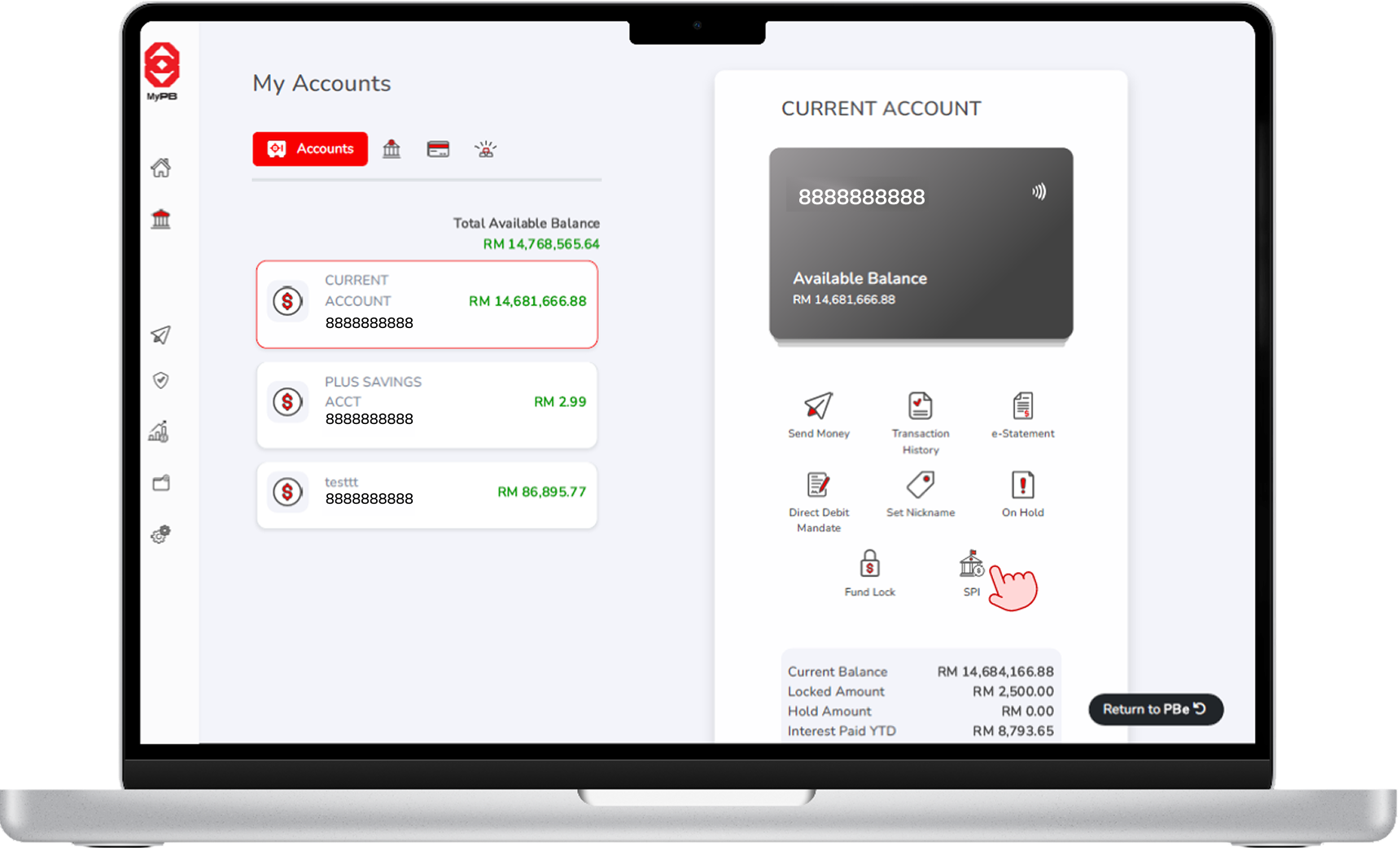
The SPI icon will be visible if selected account is the designated account fot SPI. Click on SPI icon to proceed.
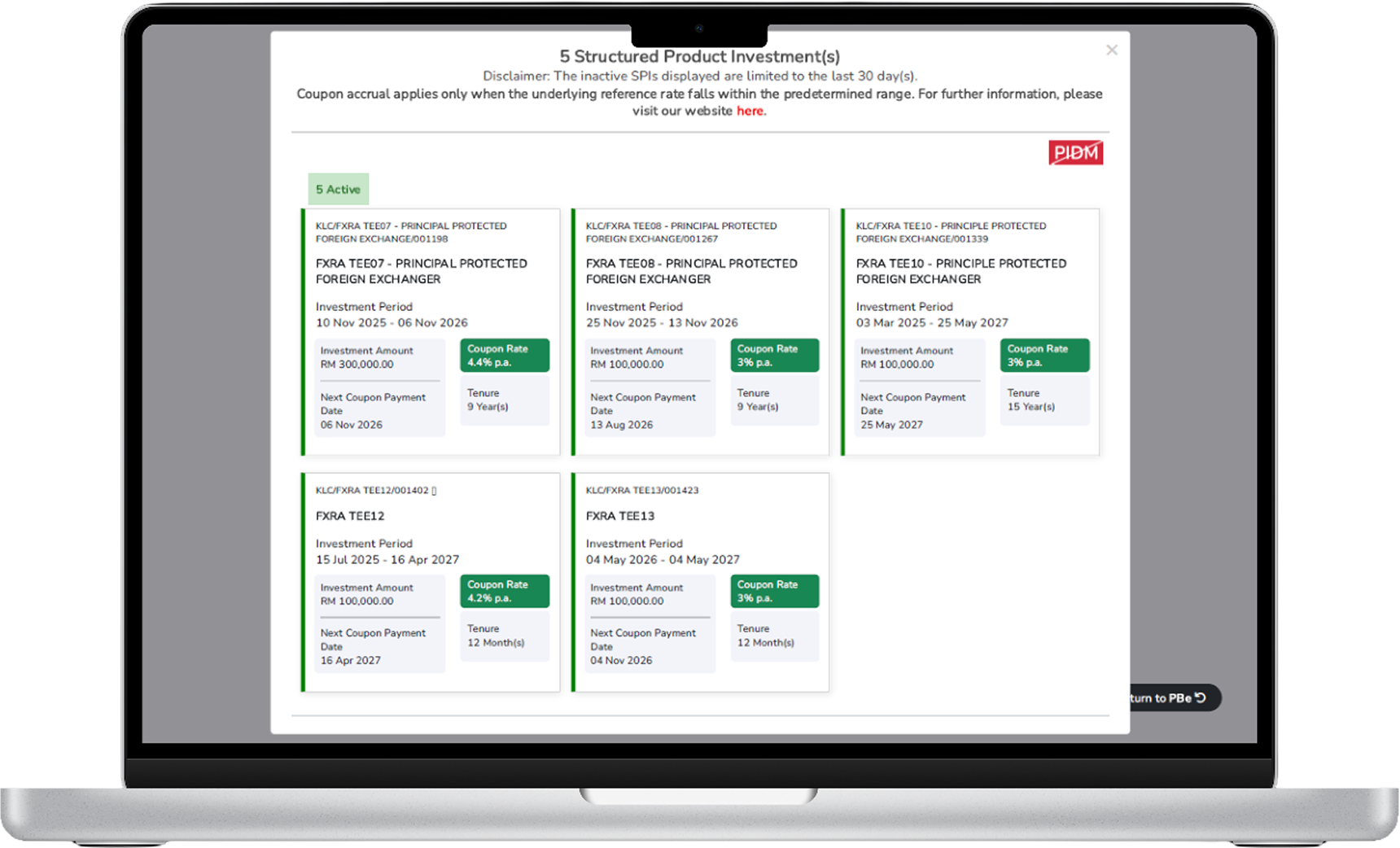
A floating window will open, showing SPI details tied to the account.
Please proceed to add your designated account via MyPB Online Banking > Settings > Profile > Add / Delete Account.


