


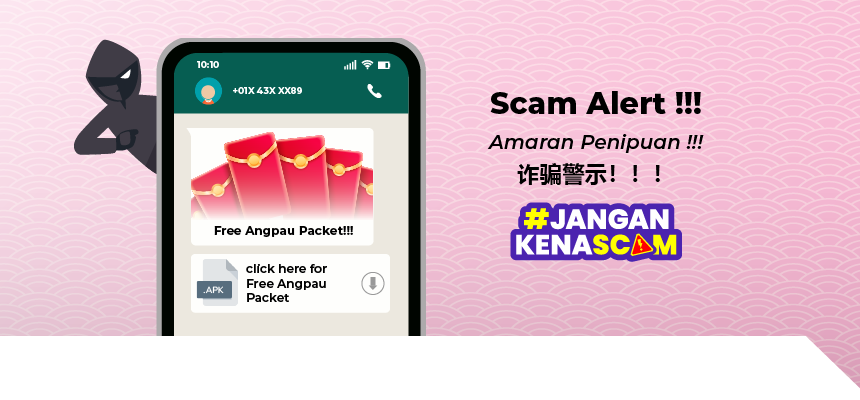
Beware of Fake Advertisement on Social Media (i.e., Chinese New Year related advertisement)
In view that Chinese New Year is approaching, there may be fake advertisements on social media platforms which are designed to steal victim’s banking account details or money.
These fake advertisements are targeting victims who have searched for specific products and/or services during festive season (i.e., Chinese New Year), examples are as below:
- Chinese New Year Cookies Menu / Purchase of Chinese New Year Cookies
- Special Menu for Chinese New Year Luncheon / Dinner
- Table Reservation for Chinese New Year Gathering
- Cleaning Services
- Chinese New Year Hamper / Purchase of Chinese New Year Hamper
- Special Price / Free Angpau Packet
- Free Delivery Charge for Online Shopping (i.e., Cheongsam, Samfu etc)
Once the victims click on the fake advertisement, it will redirect them to fake website which will require victim install malicious software and/or to enter their online banking login details via the link.
The information will then be captured by the scammers to gain access to victim’s internet banking account and subsequently transfer all the fund from victim’s account to third party account. This has led to severe monetary losses to victims.
STAY ALERT and BE VIGILANT!
- BEWARE of “too good to be true” advertisements promoted via social media / messages / calls / emails.
- Don’t buy from the sites that require you to download software or enter your online banking login credential details to transfer the monies.
- Review and check the seller’s profile. Visit the advertiser’s page to check for business contact details, reviews and comments. If there is none, it’s a red flag.
- Be wary if you were asked to transfer the payment through the given link. STOP the payment process immediately if it is suspicious.
- Legitimate organisations will NEVER request individuals to transfer their money out for safekeeping or demand for payment over the phone, messages (SMS) or messenger application.
- Download applications ONLY from trusted app stores
- NEVER share your personal information such as Online Banking details, Credit/Debit Card details or One Time Password (OTP) with anyone.
- Always VERIFY the transaction details (ie Transaction Amount, Merchant Name) before you click on “APPROVE” via Push Notification or “ENTER” One Time Password (OTP) to authorise a transaction.
If your card is lost or stolen or compromised, you may report to the Bank via the following channels.
- Call the telephone number behind your card.
- Click on “DEACTIVATE/CANCEL CARD” via PBe homepage or click on “Cards” in MyPB mobile application and search for “DEACTIVATE/CANCEL CARD” to self-deactivate your card.
- Visit our PBe website/ mobile application to activate ‘Kill Switch’ that enables you to disable your PBe User ID, ATM/debit/credit/commercial/business cards and deposit account from a single access point.
- Refer to Public Bank website “Contact” page when in doubt.


